Not Interested
Scam texts cost victims $1,000. Filter them out before you read them.
Screens texts from unknown senders and blocks known spam callers. Your contacts are never screened.
How to Stop Spam Texts on iPhone
A scam text that works costs its victim $1,000. These iPhone settings, plus a spam filter, keep the next one out of your inbox.
When a scam text works, the typical victim loses $1,000, according to FTC fraud reports. To stop spam texts on iPhone, turn on Screen Unknown Senders in Messages, report and delete the spam you already have, and add a text message filter app that files junk away before it reaches your inbox. Reporting and blocking stop one sender at a time. A filter stops the next one.
Screen Unknown Senders moves texts from strangers out of your inbox
Start here. iPhone can send every text from a number you don't know to its own folder, with no notification, so spam texts from strangers stay out of your inbox.
- Open the Messages app.
- In the conversation list, tap the filter button at the top right, then tap Manage Filtering.
- Turn on Screen Unknown Senders.
- Still want alerts for texts you need, like verification codes? Tap Allow Notifications and turn on those categories.
Texts from strangers now land in the Unknown Senders folder. If a real person or business ends up there, open their message and tap Mark as Known, or add them to your contacts. Until you do, their texts keep going to Unknown Senders.
iPhone's own spam filter is on by default
Messages already moves texts it detects as spam into a Spam folder, unless you turned the setting off. To check, tap the filter button, tap Manage Filtering, and look for Filter spam.
Glance at the Spam folder now and then. If a real message lands there, tap it, tap Not Spam, then Move to Messages.
Reporting a spam text does not stop the sender
Reporting helps Apple and your carrier spot a sender. It does nothing about the next text. To report one in Messages:
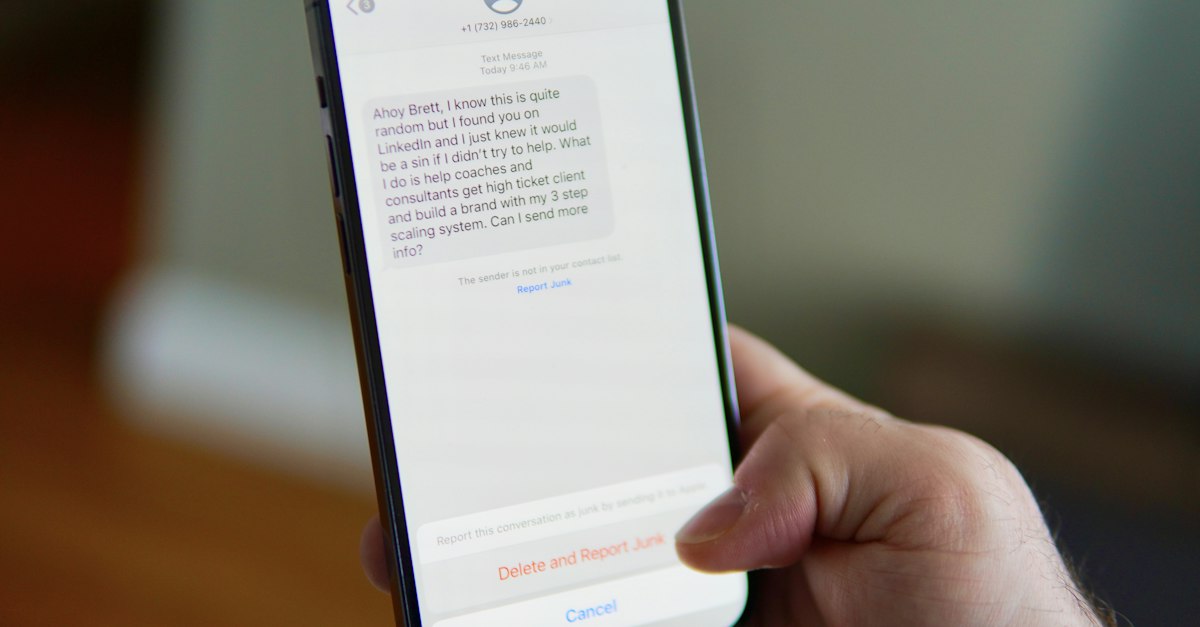
- Before opening it: swipe left on the message, tap the delete button, then tap Delete and Report Spam.
- After opening it: tap the Report Spam link at the bottom of the message, then tap Delete and Report Spam.
Report first and don't reply: iPhone won't let you report a message you've already answered.
You can also forward the text to 7726 (SPAM) to report it to your carrier, and report scams to the FTC at ReportFraud.ftc.gov.
Blocking a number stops one sender, not the next one
Blocking works for one number that keeps texting you:
- Open the conversation.
- Tap the person's icon at the top, then tap Info.
- Scroll down and tap Block Contact.
The number is blocked in Phone, FaceTime, Mail and Calendar too, and the sender isn't told. But a text from any other number still gets through, and that's the gap a filter fills.
A text message filter app screens every new sender for you
iPhone lets apps check texts from unknown senders and decide where they go. Apple's own filter only sorts them into Transactions and Promotions. A third-party filter reads for spam: Not Interested checks each text from an unknown sender and files spam as Junk, out of your conversation list.
To turn it on after installing the app:
- Open the Settings app.
- Tap Apps, then Messages.
- Tap Unknown Senders.
- Tap Text Message Filter.
- Choose Not Interested.
The filter never sees some messages, on purpose:
- Your contacts and iMessages are never screened. Only SMS, MMS and RCS texts from unknown senders are.
- Anyone you've replied to three or more times counts as known to iOS, so their texts skip filtering. Report and block those senders instead.
Texts are checked with no account or phone number of yours attached. See how it works.
Real employers never ask you to pay for a job
Some spam texts are job offers you never applied for. The FTC's advice on job scams is blunt:
- Honest employers never ask you to pay to get a job.
- No real employer sends a check and asks you to send part of it back, or to buy gift cards with it. The check bounces, and your bank will want the money back.
- Big money for little work in a short time is almost certainly a scam.
If a text you weren't expecting asks for personal or financial information, don't tap the link. Report it, delete it, and let a filter catch the next one.
Spam calls need different settings: see how to block spam calls on iPhone.
Turn on two settings today and let a filter handle the rest
Screen Unknown Senders and Apple's spam filter take a minute to check. To stop reporting spam texts one at a time, get Not Interested: it screens every text from an unknown sender, files the spam as Junk, and never touches your contacts.