Not Interested
Campaign blasts from strangers belong in Junk. Put them there automatically.
Screens texts from unknown senders and blocks known spam callers. Your contacts are never screened.
How to Stop Political Texts on iPhone
The Do Not Call Registry can't help: campaign texts are exempt. Here's what actually stops political texts on iPhone, from STOP replies to a spam filter.
Signed up for the Do Not Call Registry and still getting campaign texts? That's because the FCC exempts them. To stop political texts on iPhone, reply STOP to texts from real campaigns, then block the number, turn on Screen Unknown Senders so texts from numbers you don't know stay out of your inbox, and forward texts you never asked for to 7726.
Political texts are exempt from the Do Not Call Registry
The FCC is direct about it: "campaign calls and texts are exempt from the National Do Not Call Registry requirements." Adding your number to the Registry cuts sales calls from real companies, but it does nothing about campaign texts.
Campaigns still have rules to follow, set by the Telephone Consumer Protection Act (TCPA):
- Texts sent by an autodialer need your prior consent. The FCC treats an autodialed text like a robocall.
- Texts sent by hand don't. In the FCC's words, "Messages sent manually can be sent without prior consent."
That second rule is why the texts keep coming even though you never signed up for them.
Campaigns may have your number from the fine print
"I never gave them my number!" Maybe not directly. A security expert told CBS Boston that online orders, marketing sign-ups and social media accounts can carry fine print that lets your number be shared with other companies.
The FTC has seen the same pattern with robocalls: in one case, a website that promised mortgage quotes sold people's numbers to telemarketers instead. See why you're getting so many spam calls.
Replying STOP works for real campaigns
For texts that need your consent, the FCC says the sender "must honor the called party's request to revoke consent," and you can revoke it "in any reasonable manner, such as replying 'stop' to a text." The FCC adds that campaigns "should also honor opt-out requests if you reply STOP."
Some campaign texts name their own opt-out word, such as STOP2END. Use the word the message gives you.
Before you reply:
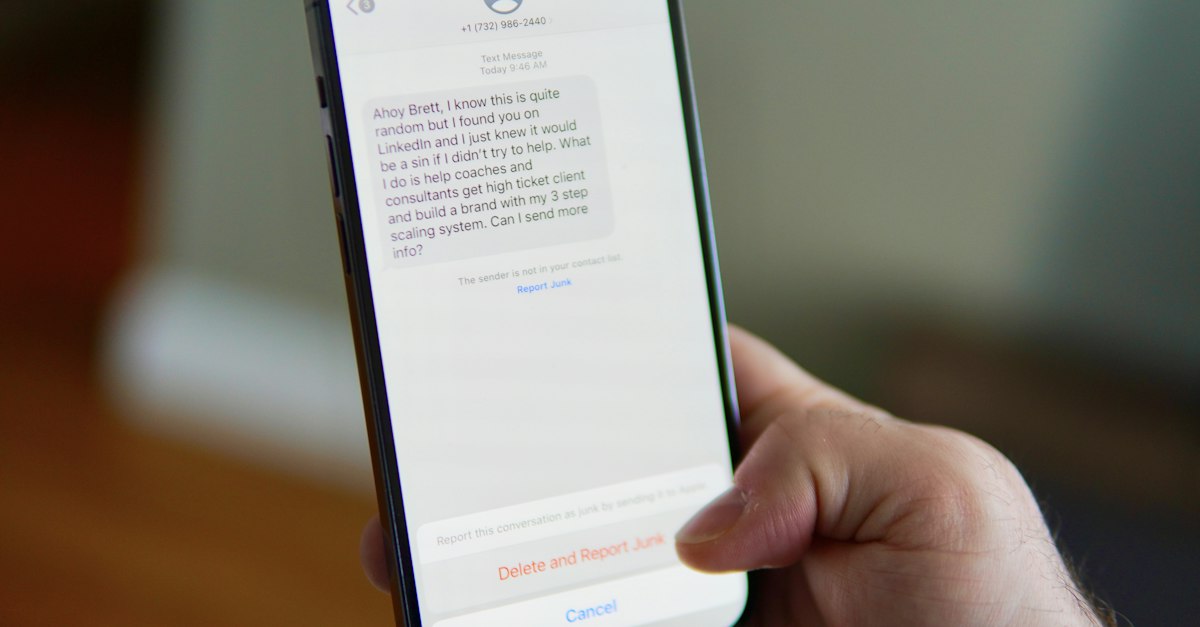
- Only reply to texts that look like a real campaign. Anything that looks like a scam, report and delete without replying.
- Report before you reply. iPhone won't let you report a text as spam after you've replied to it.
After you reply, block the number: open the conversation, tap the sender at the top, tap Info, and tap Block Contact.
Fake political texts ask for donations through links
Not every political text comes from a campaign. Some come from scammers borrowing a candidate's name. CBS Boston warned that some carry links to malware, or to websites that have nothing to do with the candidate, so the money goes to a scammer.
- Don't tap links in political texts from numbers you don't know.
- To donate, go to the candidate's official website yourself.
Screen Unknown Senders keeps political texts out of your inbox
iPhone's own filter catches political texts from numbers that aren't in your contacts:
- Open the Messages app.
- In the conversation list, tap the filter button at the top right, then tap Manage Filtering.
- Turn on Screen Unknown Senders.
Texts from unknown numbers then go to the Unknown Senders folder, and you aren't notified about them unless you choose to be. See how to stop spam texts on iPhone for the rest of the settings.
A spam filter files political blasts as junk
Screen Unknown Senders moves every stranger's text, wanted or not. A text message filter goes further: it reads what each message says. Not Interested is built to file political and commercial blasts from senders you have no relationship with as Junk, alongside scams and phishing.
- Your contacts and iMessages are never screened. If you want a campaign's texts, save its number as a contact.
- Senders you've replied to three or more times count as known to iOS and skip filtering.
Report texts you never asked for to 7726 and the FCC
- Forward the text to 7726 (SPAM). The FCC recommends this for "texts that you didn't ask for."
- File a complaint with the FCC at fcc.gov/complaints if you think a political text or call broke the rules, or call 1-888-CALL-FCC (1-888-225-5322).
Political calls follow similar rules
Autodialed and prerecorded political calls to a cell phone need your prior consent. Calls to a landline don't, but a campaign can make no more than three of them to a home landline in any 30-day period without consent. To block calls on your iPhone, see how to block spam calls on iPhone.
Reply STOP to campaigns you know and let a filter take the rest
Opting out works for real campaigns. For the blasts from numbers you've never seen, get Not Interested: it's built to file them as Junk before you read them, and it never touches your contacts.